
More Than Commander: Building the SummitPoint Development Ecosystem

It’s been a little over six weeks since my last update, and I’m pleased to say that the SharePoint Commander platform is officially ready for pilot deployments!
To support this next phase, SummitPoint is offering free 30-day pilot deployments for organizations interested in evaluating the platform in their own environments.
SharePoint Commander continues to follow a design philosophy that has remained important from the beginning:
no external dependencies,
no data storage outside the organization,
and full operation within the organization’s existing SharePoint security structure.
The goal has always been to provide operational visibility and administrative insight without requiring organizations to surrender control of their data or infrastructure.
If your organization has been looking for better visibility into SharePoint administration, permissions, usage, governance, or content structure, this is the stage where I would genuinely welcome conversations and feedback from real-world environments.
The Finish Line: Final Validation

The last several weeks turned into a series of unanticipated—but necessary—challenges.
My mantra became: "That is why we test."
As expected, testing revealed areas where aspects of the refactoring fell short of expectations. More importantly, it revealed opportunities for improvement that ended up having a much larger impact than originally anticipated.
One example was the Commander Portal page. While it was already capable of retrieving all site collections within a domain, the interface itself was only presenting a limited number of results to the user. Once I recognized the issue, I immediately redesigned the page around pagination.
Now the platform scales appropriately regardless of environment size. Whether an organization has:
3 site collections,
300,
or several thousand,
the Commander Portal can now retrieve and present them all in a manageable way.
Cross-Environment Consistency

The biggest technical challenge throughout this effort was achieving true cross-environment consistency.
From the beginning, one of the core requirements for SharePoint Commander was that it work regardless of deployment model or environment. In practice, that proved more complicated than expected.
Development environments naturally accumulate additional files, helper scripts, and experimental structures over time. During deployment testing and documentation efforts between On-Prem and Azure-hosted models, I discovered that portions of the platform were indirectly relying on development-only assets that did not exist in the testing environments.
The result was a significant round of architectural cleanup and refactoring.
Long story short: the platform is now substantially more environment-agnostic than it was only a few weeks ago. That work was frustrating at times, but absolutely necessary to ensure reliable deployments moving forward.
Looking Ahead
Final validation was difficult, but it also opened the door to an entirely new set of opportunities.
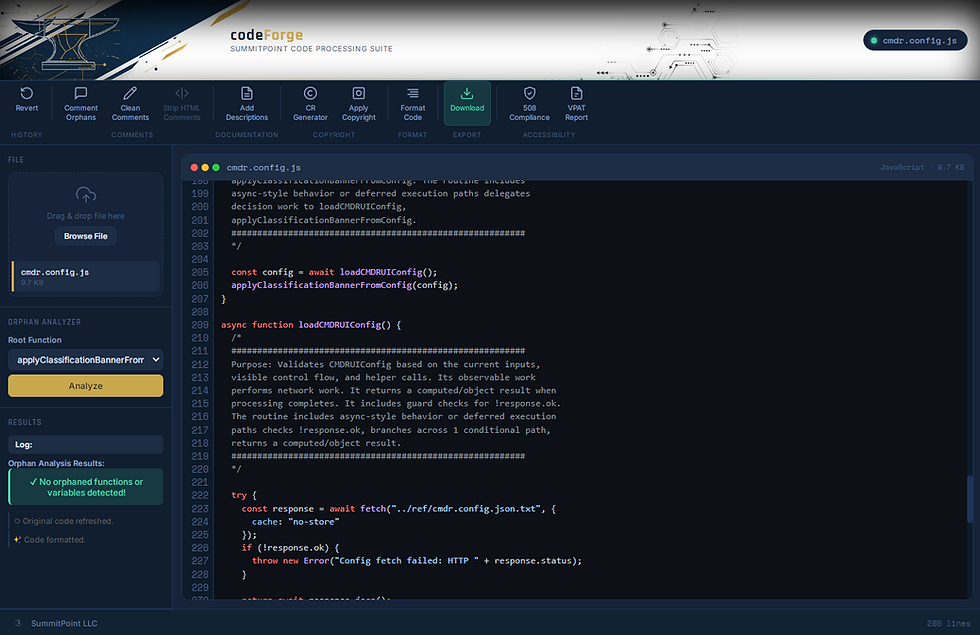
As I mentioned in an earlier post, I have been developing internal tools to analyze, validate, clean, document, and prepare code more efficiently. That effort evolved into a platform called codeForge.
At the moment, codeForge supports:
HTML/ASPX,
CSS,
and JavaScript files.
The tool immediately identifies top-level functions, orphaned functions, and orphaned variables. Users can select identified orphaned components and safely comment them out rather than permanently deleting them.
It also supports:
automated documentation generation,
copyright block generation,
static 508 compliance analysis,
and VPAT report generation.
One feature I am particularly interested in implementing next is a visual call graph system. The goal is to move beyond manual orphan analysis and allow developers to visually trace relationships between functions and dependencies throughout a project.
I originally built this tool strictly to support SharePoint Commander development, but they are gradually becoming capable of standing on their own.
Sentinel
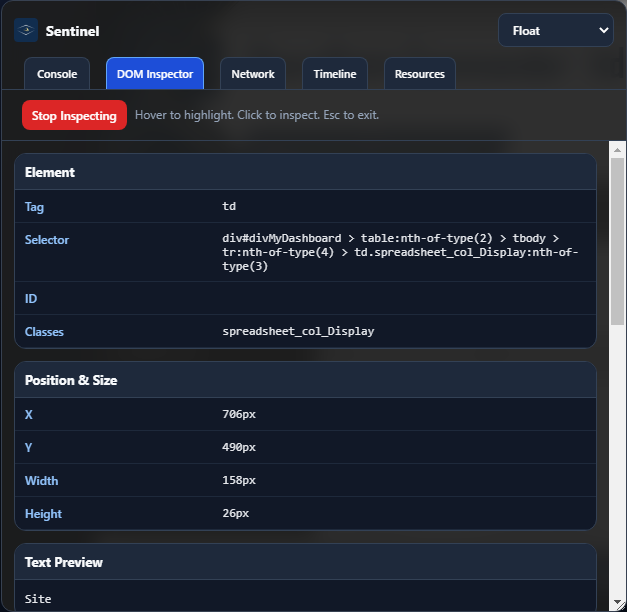
Another tool currently in development is tentatively called Sentinel.
One realization that came from working with the types of environments SharePoint Commander is intended to support is that some organizations heavily restrict browser-based development tools. In certain environments, users may not even have access to the browser console.
That doesn’t mean the browser stops generating messages or errors—it simply means the user cannot see them.
So the question became:
Could I build a JavaScript-based tool that passively reads and presents console activity in restricted environments?
The answer appears to be yes.
Early versions of Sentinel are already being integrated into SharePoint Commander and my other projects. The tool presents console activity through a lightweight, read-only, unobtrusive interface designed specifically for environments where traditional developer tooling is unavailable.
Long term, I expect Sentinel to evolve into an independent platform beyond SummitPoint’s internal ecosystem.
codeBase and codeLaunch
One thing I did not anticipate when building my deployment tooling was supporting multiple products simultaneously.
Originally, the deployment framework only needed to support SharePoint Commander. As new projects emerged, it became obvious that the underlying architecture needed to evolve as well.
That realization led to two additional projects:
codeBase
codeLaunch
codeBase is intended to manage multiple projects using SharePoint as a backend management layer.
One capability I intend to bring into codeBase is a visual call graph system similar to what is planned for codeForge. The difference is scope. In codeForge, the visualization is focused primarily on relationships within a singular file. In codeBase, the goal is substantially larger: visualizing relationships, dependencies, and interactions across all files within an entire project structure.
codeLaunch—whose predecessor already exists internally—will eventually provide structured deployment packaging and deployment orchestration across projects.
At some point these systems will integrate directly with codeForge, though each tool is still being designed with enough independence to operate separately if needed.
SharePoint Architect
The next major long-term initiative is something I am currently calling SharePoint Architect.
This project is honestly the result of years of frustration with the current SharePoint development landscape.
I have never been particularly fond of the Power Platform ecosystem—especially Power Apps. While I think the platform has promise, I have consistently run into issues involving:
throttling,
restrictive interface paradigms,
and platform-level changes that unexpectedly break existing solutions.
On the opposite end is SharePoint Framework (SPFx), which is incredibly powerful but significantly heavier than many organizations realistically need for internal operational tooling.
Through working in both the 15 Hive and Azure-hosted deployment models, I realized there may be another path somewhere in the middle.
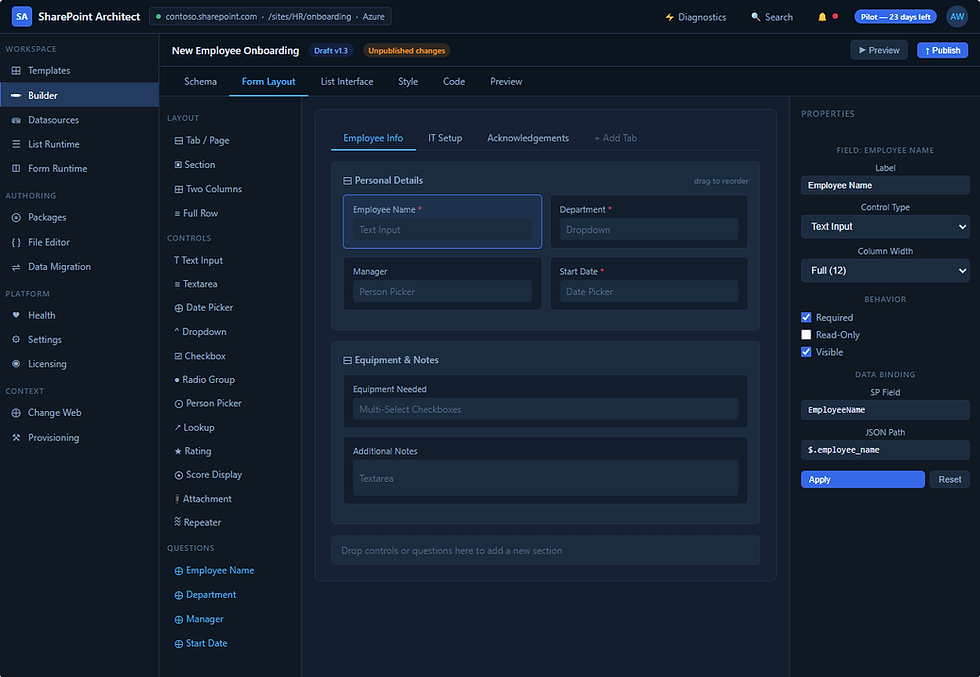
The vision for SharePoint Architect is a browser-based development environment that combines:
drag-and-drop interface design,
direct code customization,
deployable SharePoint solutions,
and integration with the broader SummitPoint tool ecosystem.
The more I work through these projects, the more I realize many of the foundational pieces already exist in code I have developed over the years. Now I just have to pull it all together.
It is a very large undertaking—but also one I am genuinely excited about.
Takeaways

None of this additional development work is going to interfere with pilot deployments of SharePoint Commander. If anything, the process of preparing Commander for production deployment is what revealed many of these opportunities in the first place.
There is still a tremendous amount of work ahead, but for the first time, the larger ecosystem surrounding these ideas is beginning to feel tangible instead of theoretical.
And honestly, that feels pretty good.
If you are interested in discussing pilot deployments, providing feedback, or simply following the progress of the platform and supporting tools, feel free to reach out.

Comments